
Use Cases
Power BI pricing write-back for medical device companies
How PTR can build pricing write-back into Power BI for medical device companies, so a price is changed once in the report and sent on to every company's database automatically.

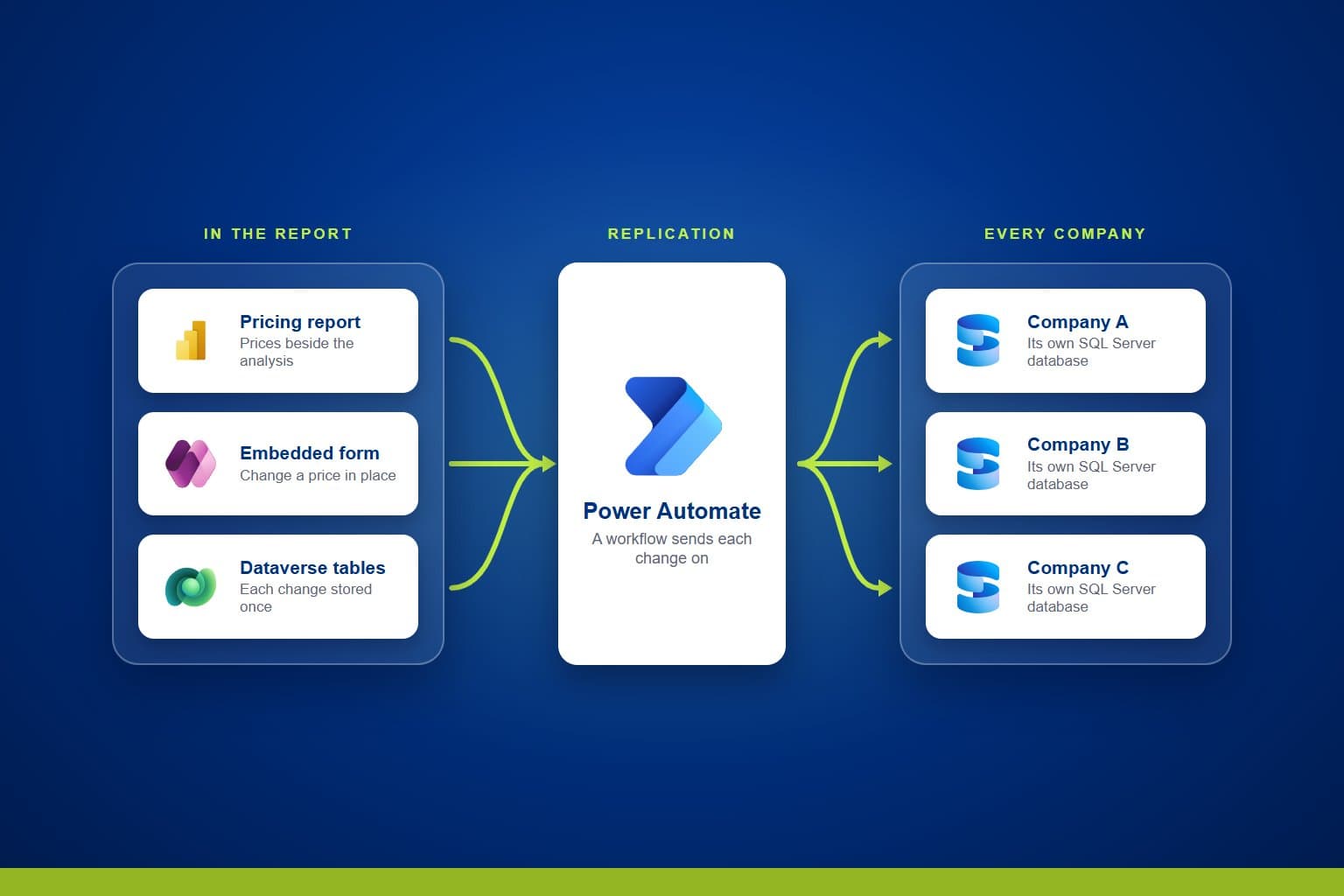
Medical device groups that trade through several companies often keep each company's price list in its own ERP system or database, so a single price change has to be made in every one. PTR can build pricing write-back into a Power BI report, so a price is changed once, beside the analysis, and the change is sent on to each company automatically.
The Challenge: one price change, made many times
A group of medical device companies often shares a common way of working while keeping each company's data apart, in its own database. When product pricing changes, the same change has to be made in each company's system, and the work grows with every company in the group. The people who review pricing in reports cannot act on what they see without leaving the report to make the change somewhere else.
Teams need to be able to:
- Update product pricing quickly, from one place
- Change a price from the report they use to analyse it
- Have each change reach every company's database without re-keying
- Keep each company's data separate while pricing is managed centrally
What PTR can build: pricing write-back in Power BI
We can build a data entry form with Power Apps and embed it in your Power BI pricing report, so the people analysing prices can change them where they see them. Each price change is stored in Dataverse tables, and Power Automate workflows send it on to the SQL Server database of every company that needs it. Pricing is managed centrally, and each change is distributed to every company automatically and immediately. Where Azure Data Factory is the better fit for your environment, it can carry the changes to each database instead of Power Automate.
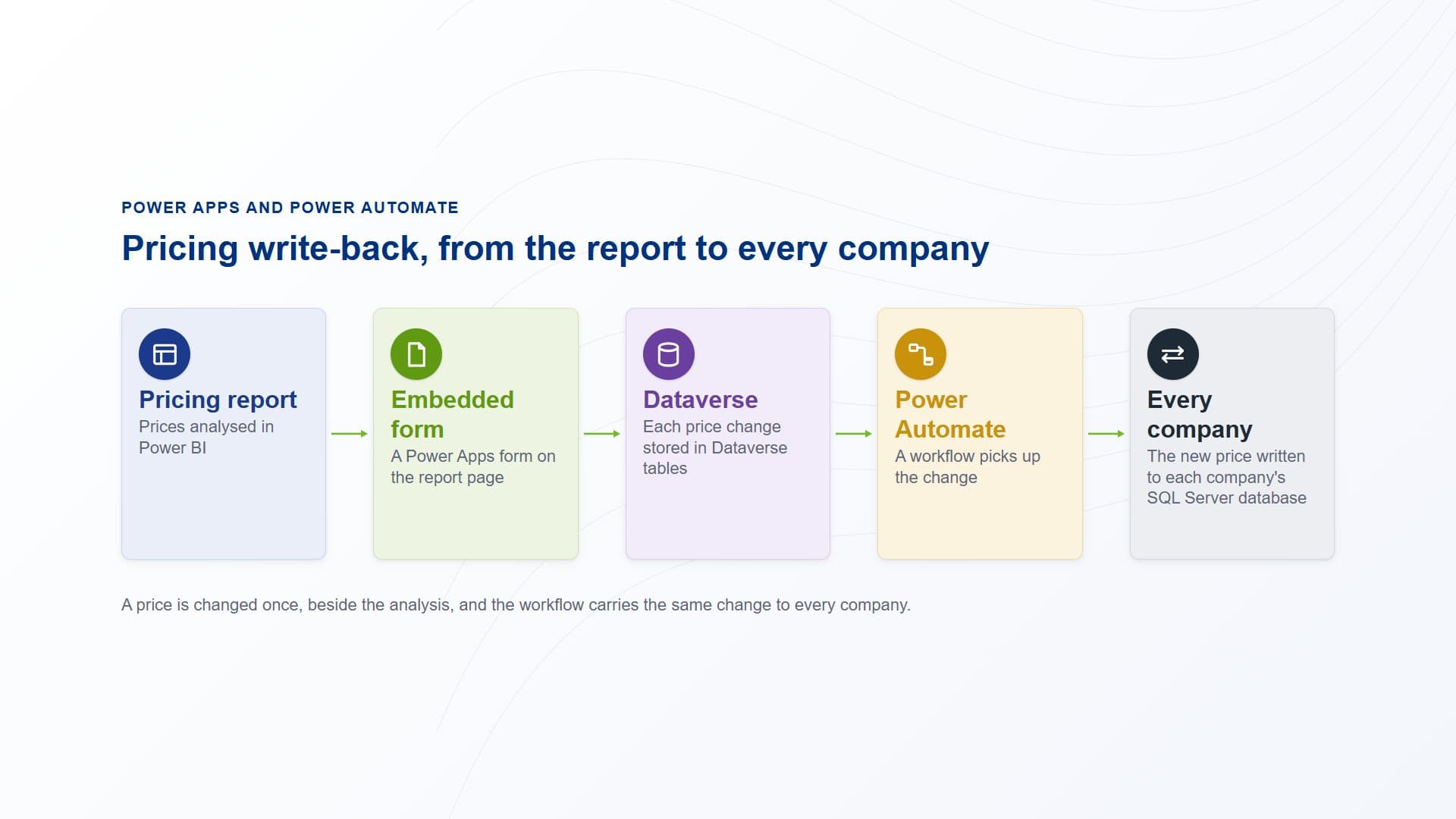
A price changed in the form embedded in the report is stored in Dataverse, and a Power Automate workflow writes it to each company's SQL Server database.
How PTR builds it: from Dataverse tables to the report
Set up Dataverse for pricing
We set up Dataverse storage and create the tables that hold pricing data, so every change is stored in one place before it goes anywhere else.
Build the pricing form
We build a Power Apps canvas app with the forms your team needs to enter and update prices, laid out around the way they maintain pricing today.
Automate the replication
We build Power Automate workflows, triggered by each change or run on a schedule, that write the updated prices to the SQL Server database of each company. Power Automate connects to each database, so nobody has to copy a change across by hand.
Embed the form in the report
We embed the Power Apps form in the Power BI pricing report with the Power Apps visual, so prices can be reviewed and changed on the same page. We can deliver the write-back early in the work, so your teams can see it doing at least what their current pricing tools do.
What it gives your teams: one place to change prices
- One place to change prices:product pricing is managed centrally, in one form, rather than separately in each company's system.
- Action from the analysis:the people who analyse pricing in Power BI can change a price without leaving the report.
- Every company updated:workflows send each change to every company's database automatically, so nobody keys it in again.
- Built with the Power Platform:the form is a Power Apps canvas app and the replication runs in Power Automate, both maintained in Microsoft's low-code tools.
In practice, a price is changed once, in the report where it is reviewed, and every company in the group works from the same price list.
Our view: a price should be changed once, where it is analysed. Writing back from Power BI through Power Apps and Power Automate keeps pricing in one place and lets the workflows carry each change to every company.
Change prices once, from your Power BI report
Stop making the same price change in every company's system. Talk to us about building pricing write-back into your Power BI reports with Power Apps and Power Automate. PTR provides consultancy, training and support in Power BI and the Microsoft Power Platform.
Call 0118 979 4000 or email info@ptr.co.uk.
Frequently Asked Questions
Couldn’t find the answer you were looking for? Feel free to reach out to us! Our team of experts is here to help.
Contact Us